Event check-in without the queue.
Any phone is the door scanner. Online, a ticket can only get in once. When the signal drops, scanning carries on and syncs as soon as it is back.
Free for free events. No card needed.
Amira Haddad · Standard19:02
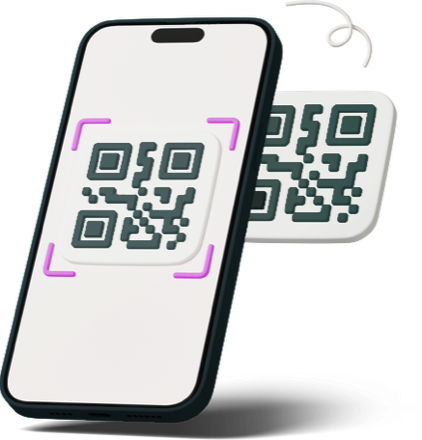
In short
Konecto check-in turns any phone into a QR ticket scanner in the browser. Several staff can scan at once. While online, every scan is checked against the server, so a ticket used on one phone is rejected on all the others. Offline, each phone keeps scanning from its downloaded guest list, rejects tickets it has already scanned, and syncs when it reconnects; any ticket scanned on two offline phones is flagged for the organiser.
“The door queue went round the block.”
- Paper lists and one laptop make one slow queue.
- Venue Wi-Fi drops exactly when the doors open.
- Screenshots of the same ticket get people in twice.
Door staff open the Konecto scanner in their phone browser. The guest list downloads first. Online, every scan is checked with the server in real time. If the signal drops, the phone keeps scanning, remembers what it scanned, and syncs the moment it reconnects, flagging any ticket that was also scanned on another offline phone.
Do it in the Konecto organiser app, or ask your AI to do it for you.
Three steps.
Download nothing
Staff open the scanner link. No app store, no hardware.
Scan
Point the camera at the ticket QR. Green means in.
Watch it live
Arrivals, capacity and no-shows update in real time.
Modules that help
 Analytics
 Kanban
FAQ
Does it work without internet?
Yes. Scans are stored on the phone and sync when the connection returns.
How many devices can scan?
As many as you have staff. While online, a ticket scanned on one phone is rejected on every other phone straight away.
What happens if several phones are offline?
Each phone rejects tickets it has already scanned itself. When the phones reconnect they sync, and any ticket that was scanned on two phones is flagged so you can follow up. Keep at least one scanner online, or on a mobile hotspot, for the strongest protection.
Can staff only see check-in?
Yes. Door staff roles see the scanner and nothing else. Team members are free.
What if someone lost their ticket?
Search by name or email and check them in manually.
Your next event, connected.
Free for free events. No card needed.